
cubeSavvy Review
One of my personal blogging goals this year is to take a tour of apps, code, libraries, and other third-party tools in the Hyperion ecosystem. I have some cool stuff on deck to be reviewed, starting with today.
Today I’d like to take a look at Harry Gates‘ cubeSavvy. cubeSavvy ostensibly purports to be “Planning without Planning”. Or, put another way, it’s a web-based interface for Essbase cubes, without all of the additional infrastructure and setup that Planning entails. This is an interesting approach. Let’s think about it for a moment.
As many of you know, by design, Hyperion Planning sits on top of Essbase and is synchronized down to Essbase. This design has some drawbacks and some advantages that are possibly worth musing on in a future post. Planning also brings a lot of extra functionality to the table that manifests itself in the user interface and/or is pushed down in some way to the underlying cube. cubeSavvy comes to the table and more or less says, “Hey, let’s do away with all of that and get a little more purist about this: let’s have grids (similar in concept to forms in Planning) defined that work with our vanilla Essbase functionality – and let’s just manage the cube instead of pushing and synchronizing things down to Essbase.”
So in theory, if you have an Essbase server up and running and then stick a cubeSavvy server in front of it, define some grids and provision some users, you’ve got a web-based budgeting and planning system on top of your cubes. Interesting.
In a first for me and this blog, this article will be split up in to several pages, covering Installation & Setup, Configuring Grids, User Experience, and Closing Thoughts. Please enjoy this whirlwind tour of cubeSavvy!
Installation & Setup
cubeSavvy has a pretty straightforward setup process. It doesn’t require setting up an configuring a separate relational database, which can greatly simplify and speed things up (at least in terms of deployment). This might sound a bit odd (not having a relational database) but I’m quite familiar with the concept and coming from the Java world myself (which cubeSavvy’s server component is written in), I know that there are some very capable relational databases that are written entirely in Java that are up to the task of storing persistent cubeSavvy info.
cubeSavvy is a Java servlet that comes with its own servlet container (think Tomcat, WebLogic, etc.), database, and installer. As Java software, these components are all cross-platform (or at least ostensibly cross-platform). My main machine is a Mac (a maxed out early-2011 i7 MacBook Pro), and I figured, hey, why not see if this baby runs on a Mac? Aren’t we all a little tired of enterprise software running on Windows and Linux? Let’s let the Mac have some fun!
cubeSavvy just needs a few things configured to get up and running: the target server, APS URL, and the EPM version (I tested this with EPM 11.1.2.3 that is installed on Windows Server 2008 R2 64-bit). Here’s one of the installer screens:
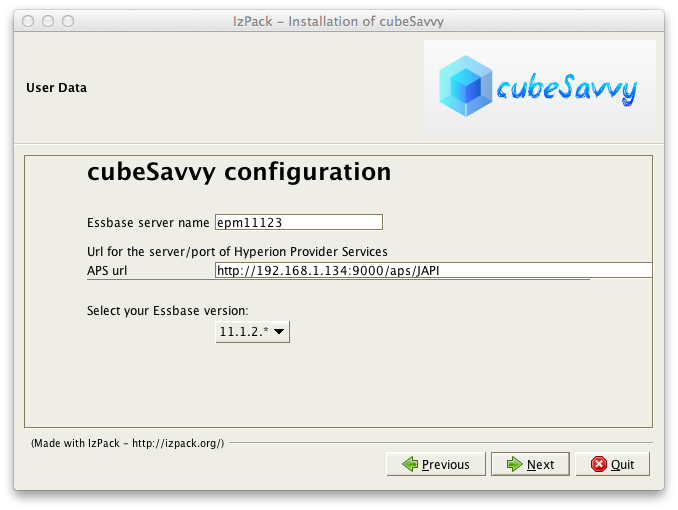
cubeSavvy config/install
After copying some files around and installing things, cubeSavvy presents us this screen:
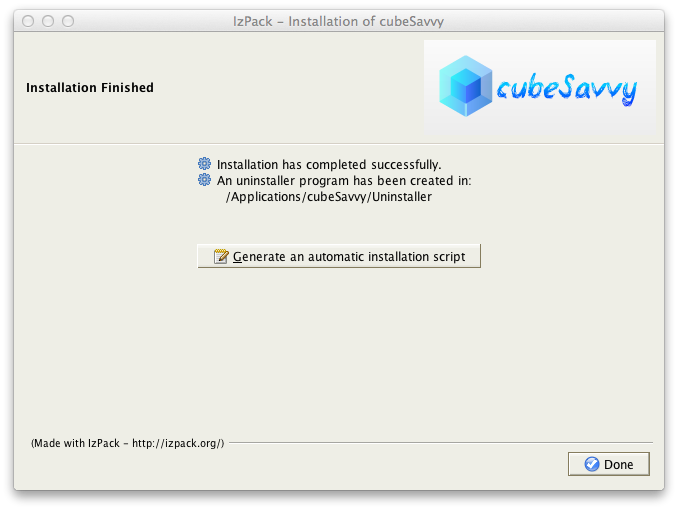
cubeSavvy installation finish
And things are installed. We now just start up the service and we’re able to get to it with a standard browser. As an aside, cubeSavvy quite obviously uses what is called “Twitter Bootstrap”. For those of you not familiar, Twitter Bootstrap is a something of a foundational layer of HTML and CSS for web developers that generally looks pretty good and has been extensively tested to work in all browsers (or at least degrade gracefully on older browser – I’m looking at you, IE6). Bootstrap is used by countless sites these days and in the context of a web-based system in the Oracle world, it serves as an alternative to a other presentation frameworks such as Oracle’s ADF.
Planning has gotten a bit better over the years in terms of its browser support, but still has some glaring omissions that they would be well-served to address. For example, Firefox support is better but spotty (in terms of having to configure Firefox to get it to work with Planning), and Chrome and Safari are not supported at all. I believe that browser support should continue to gradually get better in Planning, but in the meantime for a system such as cubeSavvy that isn’t relying on ADF, it’s a bit of a breath of fresh air to support all browsers out of the box rather than just a very narrow spectrum of Internet Explorer versions.
At present, cubeSavvy’s setup also entails adding a couple of new groups to your Hyperion server: one for admins and one for users. This is detailed on the main screen upon logging in to cubeSavvy and covered in the documentation. I imagine that later versions will include “fancier” support for configuring security against Shared Services in a more elaborate manner, but for now it suffices.
Configuring Grids
Now that we’re up and running with our cubeSavvy installation, it’s time to configure some grids. Grids ostensibly serve the same purpose as forms in Planning: they are configurable comprehensions of the dimensionality of a given outline. As with Planning, cubeSavvy supports defining the POV, page dimensions, and the rows/columns. These are all based on a single member (such as the POV) or on a list of members (possibly with a selection to include their descendants, children, and so on). Check out this grid definition screen:
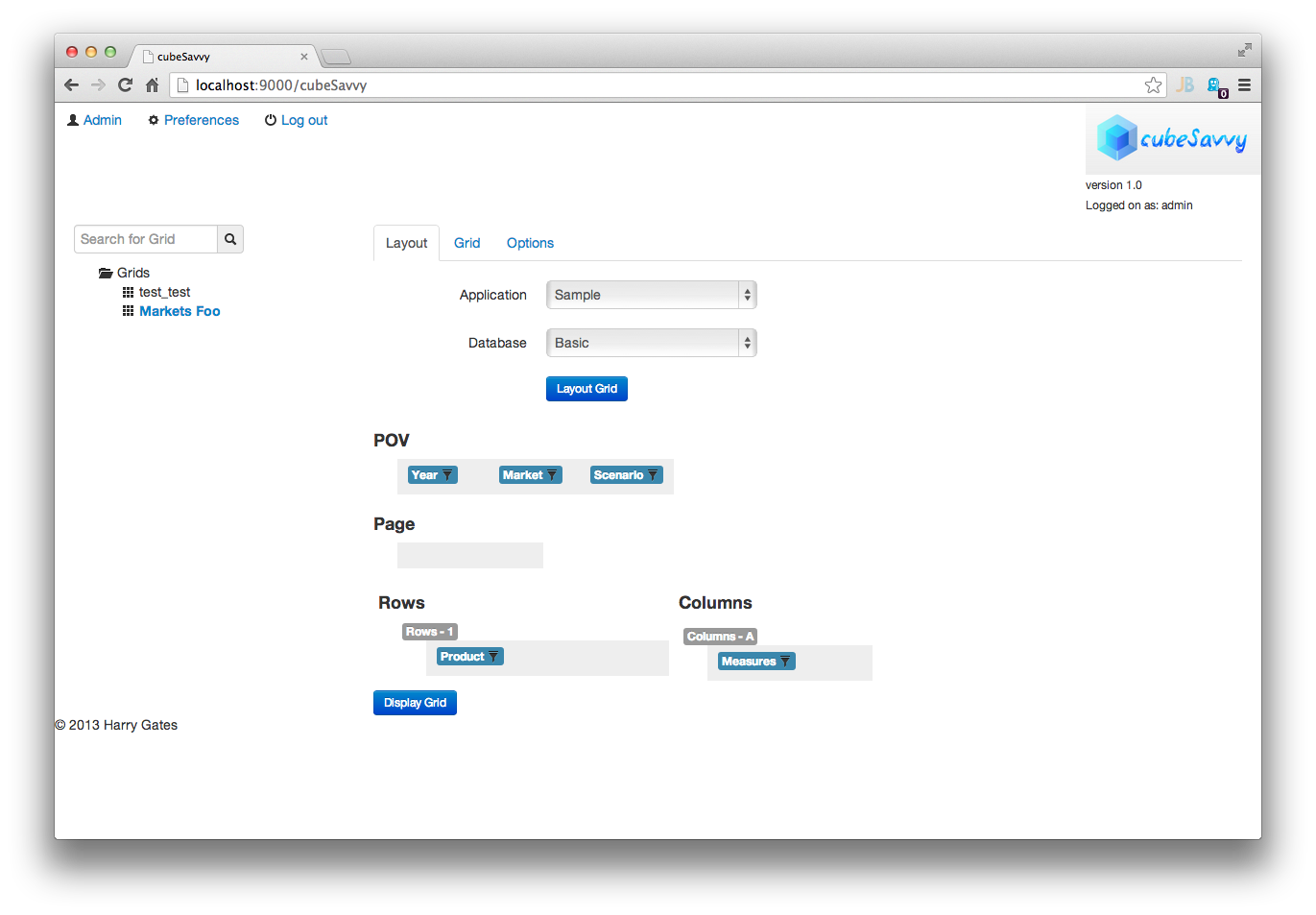
cubeSavvy defining a grid
We can easily drag and drop members from the dimensions to the proper “slot”. Those of you familiar with Planning will be comfortable with this. We can dive deeper on a particular node in the configuration to define which members and children of members to include:
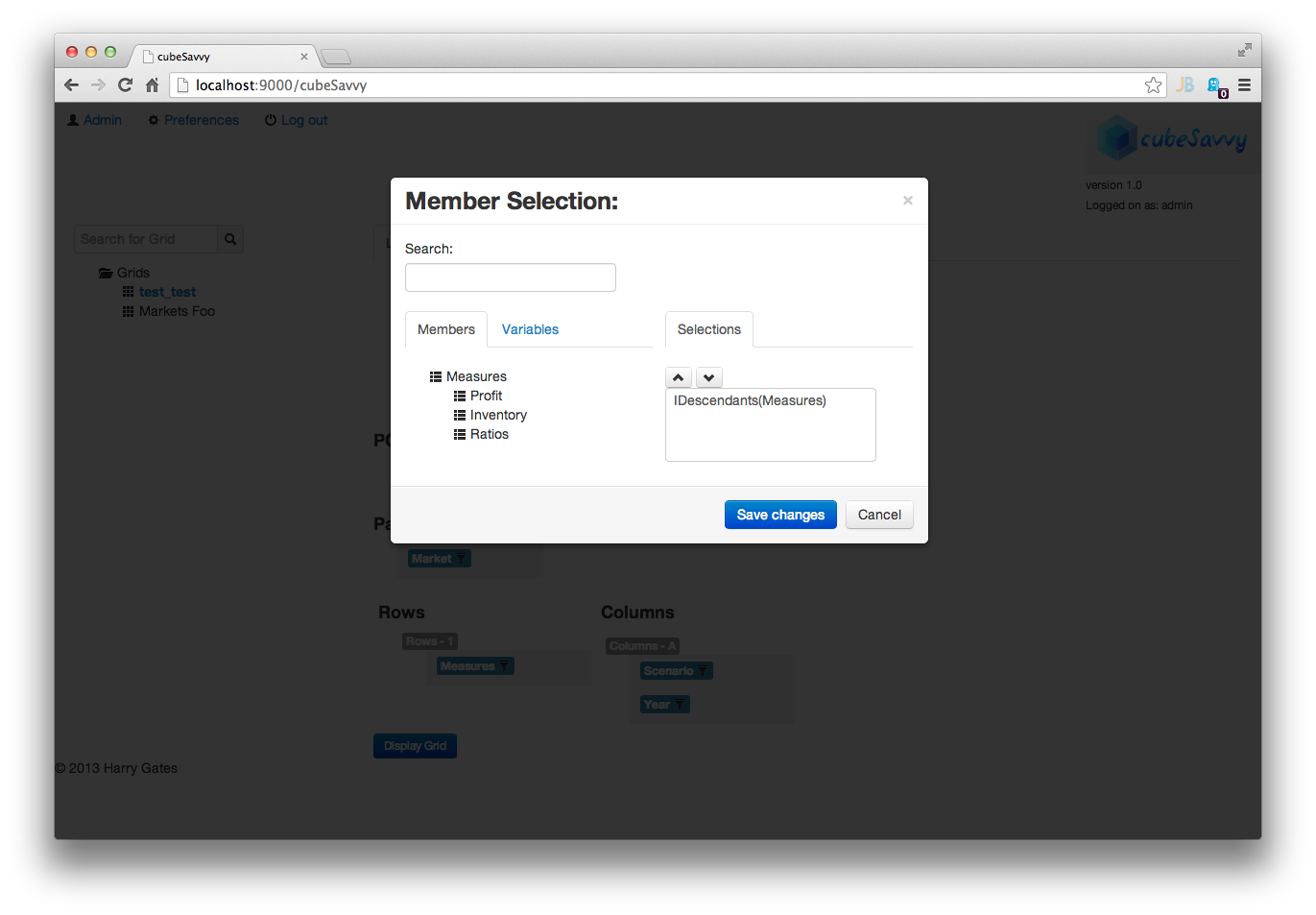
cubeSavvy member selection
All in all, the grid definition and member configuration process is pretty smooth. Along with defining the grid, we can also define a calc to run when the grid is submitted/saved by a user. Again, this is pretty standard fare for those familiar with Planning. It’s typical to need to aggregate some values up after the user hits submit, or perform some other calculation.
User Experience
At present, cubeSavvy allows for the definition of grids (including their dimensionality, calcs, and so on), and also allows for organizing grids into folders to help organize them for the users. Most likely the folders will be used to organize things along certain steps in a process or around certain operational areas. For the user’s part, they login to cubeSavvy using their browser, and are then presented with a list of grids. Clicking on a grid brings it up with data:
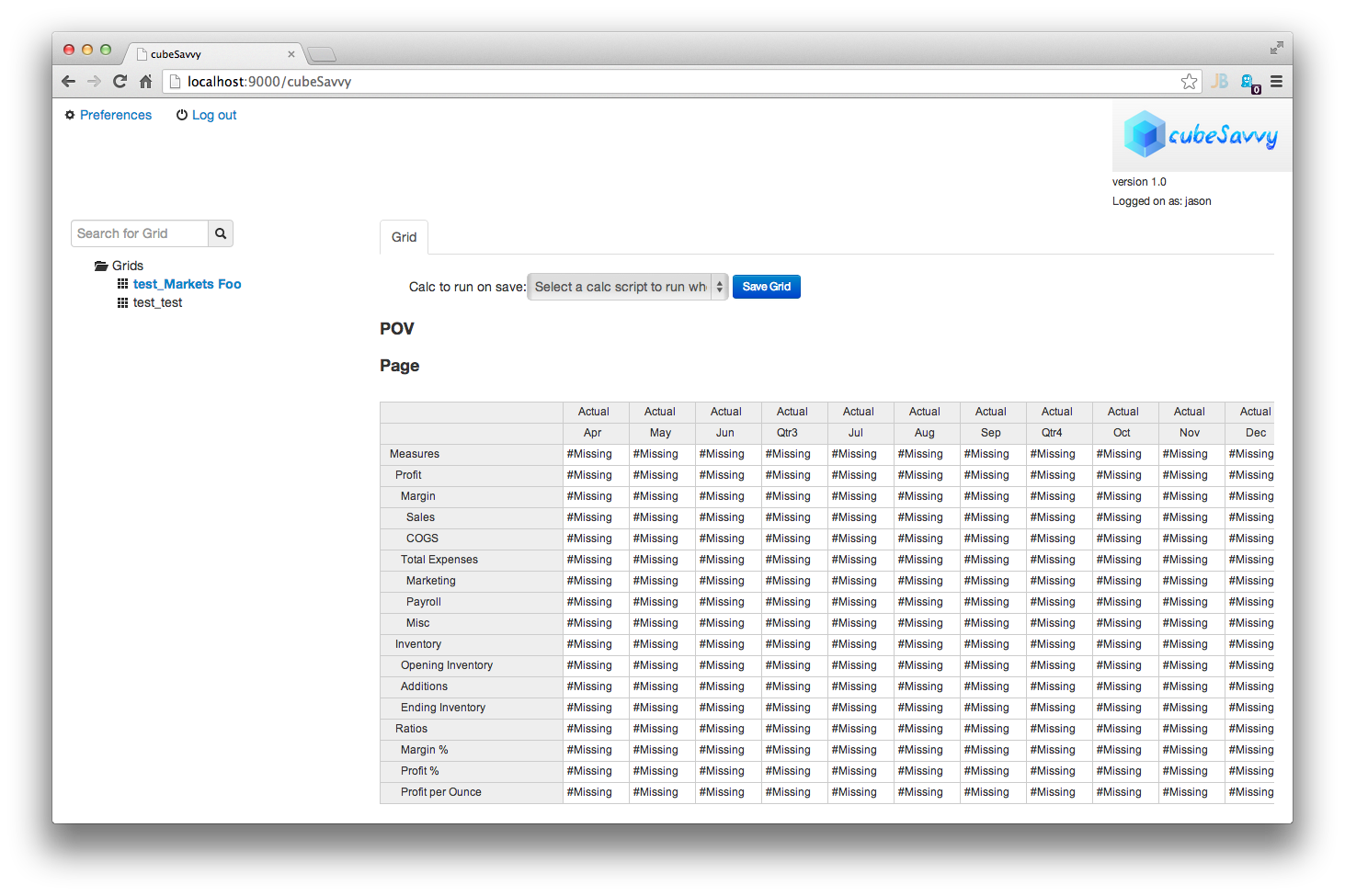
As this is a user-based system with the express intent of soliciting input from users, it’s a simple matter of inputting the data. Just click on a cell and type in a new value. This is pretty much the crux of the cubeSavvy user experience right now: load a grid, dial in the page if needed, see refreshed data, make edits if needed, submit data. Conceptually this is similar to the Planning experience.
Closing Thoughts
I have been pleasantly surprised with the functionality afforded by cubeSavvy even this early in its development. The “basics” are all more or less in place. cubeSavvy is not without its faults or defects though: I did experience a handful of issues during testing that required me to either manually refresh the page or navigate to a different section and then back to the section I wanted to be in. I imagine this is to be expected for now and am sure that Mr. Gates is hard at work on fixes for the issues I experience, if they haven’t been fixed already.
As I mentioned on the first page, I find myself intrigued with the cubeSavvy value and administration proposition, which is dispensing with some of the complexity of Planning (and its deployment) and going back to a more Essbase-centric view of the world. This is a possibly interesting solution for those people not wanting to make the leap to Planning but wanting to have a web interface in front of their cubes.
At this point in time, I think cubeSavvy would be well-served to take the following course of action:
- Focus on a polished user experience. There are just simply some kinks that need to be worked out to make the user experience smoother: bug fixes, text prompts, and the like.
- Adopt a strong visual identity. Speaking as no stranger to web development, using Bootstrap is a great foundation to build on. This provides for broad browser support right out of the gate and also allows for relatively easy theming. I would love to see cubeSavvy adopt either a high-quality or even a custom theme to really make it feel like its own entity rather than just the Bootstrap defaults.
- Really embrace the notion of being a front-end to Essbase and innovating on the Planning/planning experience (note that I mention Planning with a capital P and planning without a capital P). I think this is part of the game plan already, but thought I’d say it explicitly.
I’m really looking forward to seeing this project evolve and mature over time into a useful tool. If for whatever reason the business side doesn’t pan out, I think cubeSavvy would make a great candidate for an open source, community development driven project.
Keep up the great work, Harry.
6 Comments
Doug B
Jason,
Excellent article. I had never heard of cubeSavvy but will now check it out.
Thank you for sharing!
Have you ever tried using Dodeca for budgeting instead of Planning? Just curious.
Doug
jason
Yes I have used Dodeca – in fact, I rolled out one of the earliest and largest (at that point) Dodeca deployments several years ago! I am going to do a long blog series on Dodeca as soon as possible. As I said, I am working through the third-party Hyperion ecosystem this year and next on the list is something quite interesting, followed by Dodeca. Stay tuned. :D
Cameron Lackpour
Jason,
Two things I didn’t see:
1) How is dimensional security in grids represented? Does it follow the user’s username and so metaread filters would suffice or does cubeSavvy use a “ghost user” to do logins and handles security some other way?
2) Is there any way to pass grid POV, page, row, and column settings to some kind of calc script execution stage? I am thinking either the way Planning forms work with business rules (not bad, but could use some real improvement in the row and column area) or the way tokens work in Dodeca (even better because if you set the views up just right you can drive aggregations in BSO with row and column information).
Otherwise a very intriguing product.
Regards,
Cameron Lackpour
jason
1. Dimensional security is handled by way of the user’s security — rather than all requests being marshaled through an admin user, the user uses their own credentials.
2. This came to mind as well and I almost commented on it since it’s highly relevant to what calc gets run on submit. At present I don’t think the product includes this capability, but speaking from my own experience, it is possible to do with just the Essbase Java API (i.e., generate your own calc based on a template that you parameterize). So… doable, if not trivial.
Harry Gates
Cameron,
1) Jason is correct. You log into cubeSavvy with the same credentials you would log into Essbase. The only difference being that you would need to be in the cubeSavvy_admins group (either native Essbase or Shared Services) to create grids or cubeSavvy_users to enter data in a grid. Having users continue to utilize their own ID (instead of the “ghost user” approach you mentioned) has the added benefit of simplifying the logging of user activity.
2) This is definitely on my road map for the product. I will try to piggyback off the new Essbase as much as possible, since my whole goal is to stick with native Essbase functionality (and not bastardize it to death, as Planning has done). I envision being able to limit a calc to EXACTLY what is displayed in the grid – including rows and columns.
I’d be more than happy to hear any other ideas you have.
Thanks,
Harry Gates
Harry Gates
That should read “piggyback off the new Essbase runtime substitution variables as much as possible”.